Recurring Campaigns
Schedule automated email sends on repeating dates. Once configured, each campaign runs on its own schedule — no manual intervention, no missed sends.
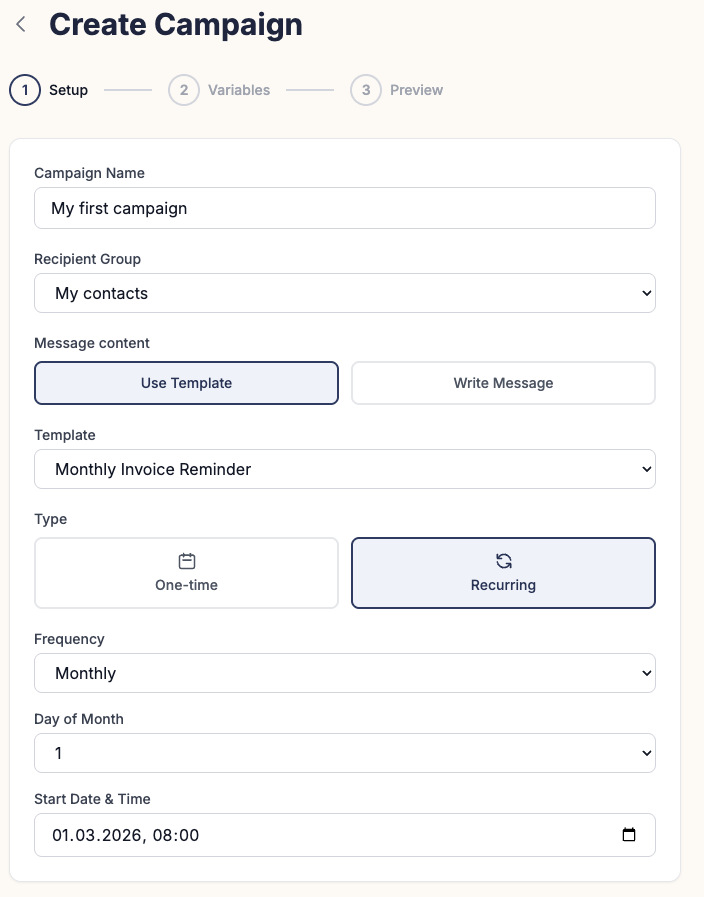
What Are Recurring Campaigns?
Most businesses have emails they need to send every single month — invoices, reminders, summaries, reports. Doing this manually is error-prone, time-consuming, and simply doesn't scale beyond a handful of contacts.
MailerBit recurring campaigns solve this completely. You define the schedule once — pick the day of the month, the time, and the contact list — and MailerBit takes care of the rest. Each scheduled run automatically pulls the latest data from your contact database, so the content is always current even if contact details changed since the last send.
Combined with unlimited custom fields, each recurring email is individually personalized for every recipient — not just their name, but their specific amounts, dates, account details, or any other data you store in MailerBit.
How It Works
Create your email template
Design your email in the visual template editor. Insert dynamic merge tags like {{vat_amount}} or {{invoice_due_date}} — these will be replaced with each recipient's real data at send time.
Set the recurring schedule
Choose when the campaign should run: the 1st of each month, the 15th, the last business day, a specific date like the 20th, or any other pattern that fits your workflow. Set the send time and timezone.
Select your contact list
Assign the campaign to a contact list or segment. Contacts added later are automatically included in the next scheduled run — no manual list management required.
It runs automatically
On the scheduled date, MailerBit fetches the latest contact data, generates individually personalized emails for each recipient, and delivers them. You receive a send report after each run with open rates, delivery stats, and any errors.
Use Cases
Accounting Firms
Send monthly PIT and VAT tax notifications automatically on the 20th. Each client receives their exact tax amount, unique bank transfer details, and payment deadline — all pulled from per-client custom fields. Zero manual work per client.
Language Schools
Automate attendance-based billing cycles. Send monthly invoices with each student's attendance rate, tuition amount, and payment link. When a student's attendance changes, the next recurring email reflects the updated data automatically.
Property Managers
Send rent reminders on the 1st of each month. Each tenant receives their specific rent amount, due date, bank account number, and any applicable charges — no copy-pasting, no spreadsheets.
Investment Platforms
Deliver monthly portfolio summaries to investors. Include each investor's current valuation, month-over-month gain, and personalized next steps based on their portfolio data stored in MailerBit custom fields.
Ready to Automate Your Monthly Emails?
Set up your first recurring campaign in minutes. The interactive demo lets you explore the full interface — no account or credit card required.