Features That Get Your Client Emails Into the Inbox
MailerBit automates the individual emails service businesses send to their own clients — payment reminders, monthly statements, fee notices and account updates, each with the recipient's own data — sent from your verified domain, written with AI and delivered on a recurring schedule that runs itself.
Built to Reach the Inbox
Payment reminders, monthly statements, fee notices, account updates for your clients — the emails your business depends on. MailerBit makes sure they arrive, look professional, and write themselves on the schedule you set.
Know Who Got the Invoice and Who Paid
A card for every client with the full history of emails, notes and payments. Send the invoice from MailerBit or attach a payment to an email you already sent, and see for each payment whether the invoice arrived, whether the client opened it, whether a reminder went out and whether it was paid. Optional automatic reminders stop as soon as you mark the payment as paid.
See how it works →Deliverability That Actually Works
Send from your own verified domain with DKIM and Return-Path properly set up, so the domain reputation you build is yours. Accounts with high bounce or spam-complaint rates are paused automatically, so careless senders can't drag the platform down. Result: payment reminders and client notices that land in the inbox, not the spam folder.
See how it works →Set It Once, Sends Itself Forever
Monthly invoice reminders, monthly statements, quarterly fee notices — schedule them once and MailerBit handles the rest. Every send automatically pulls the freshest data from your contacts, so each recipient sees current numbers, dates, and balances.
See how it works →From Idea to Inbox in Minutes
Write a one-paragraph brief and the AI editor builds a complete, Outlook-safe, mobile-responsive HTML email. Or use the simple text editor for full control. Drag-and-drop image placeholders, four professional design presets, zero email-development know-how required.
See how it works →Personal at Any Scale
Each contact carries the data your business actually cares about — invoice numbers, balances due, child's name, property address, renewal date, anything. One template generates dozens or hundreds of individual emails, each one written for the client reading it.
See how it works →Full app, no signup, no credit card. Five minutes to see the workflow end-to-end.
Questions Business Owners Ask
How do I know my emails actually reach the inbox?
MailerBit generates the DKIM and Return-Path records for your own domain, so the domain reputation you build is yours, and it warms up new domains gradually. DMARC is yours to publish, and our free DMARC checker helps you get it right. Every account's hard-bounce and spam-complaint rates are checked hourly, and accounts over the limits are paused automatically, so careless senders can't drag the platform down. You can also use our public deliverability tools to audit your DNS records anytime — even before signing up.
Do I need a developer or an agency to run this?
No. You write a paragraph describing the email you want to send and the AI builds the HTML. You add your client list and MailerBit handles the personalization, scheduling, and sending. The whole workflow is designed for owners and office managers, not engineers.
Can I send recurring invoice reminders or fee notices automatically?
Yes — that's the most common use case. Set up a recurring email for the 1st of every month, the 20th or any day you choose — or run it weekly or daily. Each run pulls current balances and dates from your contact list, so every recipient sees their own up-to-date numbers.
Will recipients see my company name or MailerBit's?
Yours. Emails are sent from yourname@yourdomain.com with your branding throughout. MailerBit's name never appears in the sender address or in the email your recipients read.
What about GDPR and European compliance?
MailerBit is built and operated by an EU-based company. Every email includes a one-click unsubscribe link, unsubscribed and bounced addresses are suppressed automatically, and each client's data goes only into that client's own email.
What if I'm not technical — can I still set up a verified domain?
Yes. The platform generates the exact DNS records you need to copy into your domain registrar (or shows them to your IT person if you have one). After they're added, click "Check Verification" in the app and it shows you whether everything is ready to send.
Further reading on our blog

Automated Payment Reminders That Actually Get Paid
Generic “please pay” emails get ignored. Here's what a payment reminder must contain, a sample with merge tags, a 5-step cadence, subject lines that work and the mistakes to avoid.

Custom Fields in Email: One Template, Hundreds of Emails
How to send one template as hundreds of individual emails: plan custom fields, prepare a CSV, write merge tags that survive empty cells, test with real data and keep it fresh.

Gmail, Yahoo & Microsoft Sender Requirements: Checklist
Gmail, Yahoo and Microsoft now enforce sender rules. A practical checklist of SPF, DKIM, DMARC, one-click unsubscribe and spam rate, so your reminders and statements keep arriving.
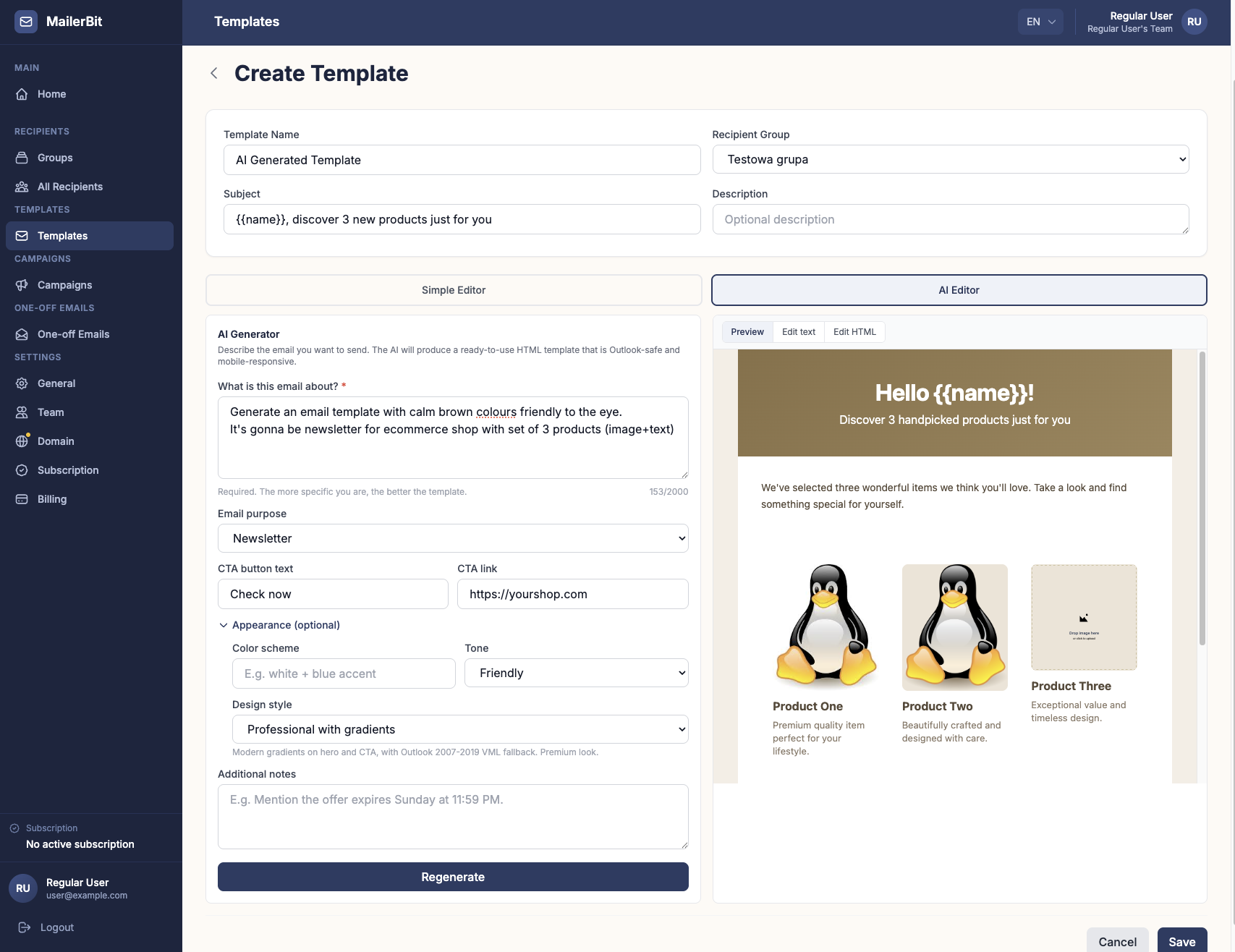
Write a Paragraph, Get a Client Email: MailerBit's AI Editor
Turning a fee notice or payment reminder into a clean, phone-friendly email used to take an afternoon. MailerBit's AI Editor builds it from a short description in seconds.
How to Reduce Late Payments: 9 Habits for Small Service Businesses
Clear terms, a fixed invoice day, a reminder before the due date, a calm escalation schedule and a weekly review: nine habits that shrink your overdue list without hurting relationships.
How to Email Invoices to Many Clients at Once
Send every client their own invoice PDF and payment details by email, without doing it one by one: what to include, file naming, a template with merge tags and a pre-send checklist.
Mail Merge from Excel with Word and Outlook: How-To and Limits
Send personalised emails from an Excel list with Word and Outlook: step by step, how to fix amounts and dates, and the limits worth knowing before it becomes a monthly routine.
Document Reminders for Accounting Clients: 4 Email Templates
Clients sending invoices and bank statements late every month? Set one clear deadline, follow a 5-step reminder schedule and use 4 copy-paste templates with per-client details.

Final Demand for Payment by Email: Template and What to Include
Reminders ignored? When to send a final demand for payment, what it must contain, a copy-paste email template, €40 late payment compensation and how to keep proof.
MX Records Explained: Why Replies to Your Emails Never Arrive
Your reminders reach the inbox, but client replies vanish? Learn what MX records do, how they differ from SPF and DKIM, the six most common MX mistakes and how to check yours.

Rent and Service Charge Notices by Email for Property Managers
Rent, service charges, utilities, arrears: how property managers can email every tenant or owner their own numbers each month, with sample notices, reminders and settlements.

Parent Communication for Kindergartens: Fees, Meals & Notices
How kindergartens and private schools can send each family a clear monthly statement (tuition, meals by attendance, extras, due date) plus announcements that respect privacy.

Email Blacklist Check: Find Out If You're Listed and Get Delisted
Bounces mention Spamhaus and replies dried up? Learn how to check if your domain or IP is on an email blacklist, why it happened, and how to get delisted for good.

Tuition Reminders for Language Schools: Get Paid on Time
Monthly instalments, sibling discounts, parents and adult learners: what a good tuition reminder contains, a sample email with merge tags, and a schedule that gets fees paid.

DMARC Policy: How to Move from p=none to p=reject Safely
A step-by-step DMARC rollout: what alignment means, how to read a record, and how to go from p=none to quarantine and reject without losing a single legitimate email.