Visual Template Editor
MailerBit's visual template editor lets you design emails with drag-and-drop simplicity while inserting dynamic merge tags and math expressions. One template generates thousands of individually personalised emails — each with unique values, calculations, and formatted data.
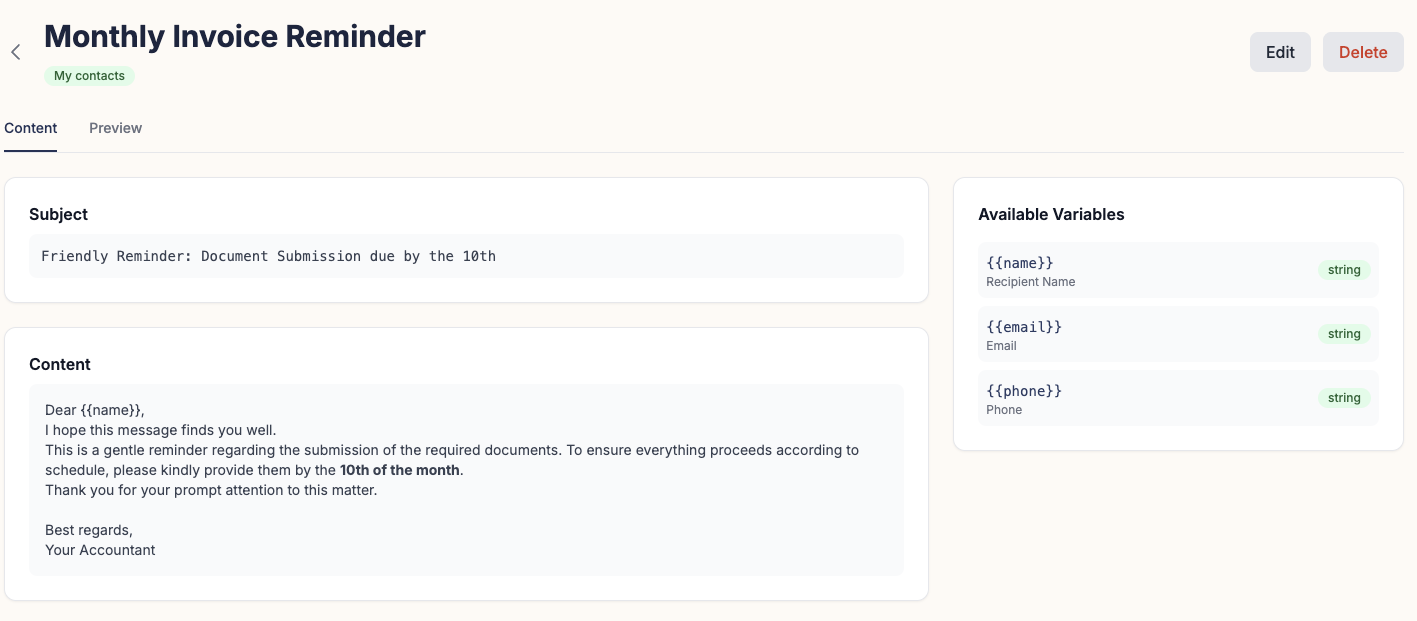
Drag-and-Drop Visual Editor
MailerBit's template editor gives you a clean visual canvas for designing professional emails without touching HTML. Add text blocks, images, buttons, dividers, and layout columns by dragging them into place. Adjust colours, fonts, padding, and alignment in the sidebar. What you see in the editor is exactly what your recipients receive — across every major email client.
When your design is ready, switch seamlessly to the source view to fine-tune the underlying markup. Both modes stay in sync, so you never lose your visual layout when editing the code directly.
Dynamic Merge Tags
Every custom field you define in MailerBit becomes a merge tag available inside the editor. Insert a tag using the {{field_name}} syntax — double curly braces around the field identifier. At send time, MailerBit replaces each tag with the recipient's individual value stored in their contact record.
Common examples: {{first_name}} for a greeting, {{vat_amount}} for a tax figure, {{invoice_date}} for a billing period, or {{roi_ytd}} for an investor's year-to-date return. One template, thousands of unique emails.
Built-in Math Expressions
MailerBit templates support arithmetic expressions directly inside merge tags. No spreadsheets, no pre-calculation, no extra data columns — just write the expression and MailerBit evaluates it per recipient at send time.
{{price * qty}}Multiply two per-contact fields to show a line total. Useful for invoices, order summaries, and billing breakdowns.
{{net_amount * 1.23}}Apply a tax rate inline. The result is computed individually for every recipient from their own net_amount value.
{{(investment_value - initial_amount) / initial_amount * 100 | round(2)}}%Calculate a percentage return directly in the template. Each investor sees their own figure, correctly computed and formatted.
Filters and Transforms
Filters let you format and transform values without changing the underlying data. Chain a filter onto any merge tag using the pipe | operator:
{{amount | round(2)}}Round to 2 decimal places. Keeps currency values clean: 1234.5 becomes 1234.50.
{{name | upper}}Convert text to uppercase. Useful for formal document-style headers or reference codes.
{{name | capitalize}}Capitalise the first letter. Ensures consistent presentation regardless of how data was imported.
One Template, Unlimited Personalisation
The power of the MailerBit template engine is the combination of visual design, merge tags, math expressions, and filters — all working together. Design your email once. Let MailerBit handle the per-recipient computation and data injection at send time. Whether you are sending to 50 contacts or 50,000, every recipient gets a message that looks like it was written specifically for them.
Templates are reusable across campaigns. Schedule the same template to run monthly with fresh contact data, and each run pulls the latest values from your contact list automatically.
Build Your First Personalised Template
Sign up free and try the template editor with your own data. No credit card required. See how merge tags, expressions, and filters come together in a live email send.
Try MailerBit Free